At a Glance: Feature Summary
Here's a quick summary of the key features of Tickertape for US Stocks:
| Feature Parameter | Tickertape US Stocks Details |
|---|---|
| Platform type | Stock Analysis & Screening Platform |
| US Stock Execution | Built-in — Global Investment Account executes trades via GIFT City / broker-dealer partner ViewTrade |
| Indian Broker Linking | Connects to Indian demat accounts to place and execute buy/sell orders, routed through your linked broker — not just read-only portfolio tracking |
| Pricing | Freemium (Basic is free, Pro offers advanced features); US trades carry brokerage — see pricing below |
| US stocks | ✓ Comprehensive coverage of US listed equities |
| ETFs | ✓ Leading US ETFs covered |
| Screener Filters | ✓ 60+ customizable filters and pre-built screens |
| Investment Checklist | ✓ Available on stock pages to evaluate fundamentals quickly |
Is Tickertape right for you?
- Investors seeking deep fundamental analysis, financial metrics, and stock scoring for the US market.
- Users who want to screen US equities and ETFs using advanced custom filters.
- Retail participants looking to evaluate stocks using easy-to-read Investment Checklists.
- Frequent/active traders who want intraday or margin trading, since Tickertape's US offering is built for long-term investing rather than rapid-fire execution.
- Investors who need access to multiple international markets outside the US.
- Options and derivatives traders looking for advanced charting and leverage strategies.
What the platform actually is, at a glance
Tickertape is a comprehensive data and analysis platform, designed to simplify stock research. The core components for US Stocks include:
- Screener — A robust tool to filter US stocks based on profitability, valuation, and custom metrics.
- Stock Pages — Detailed views including an Investment Checklist, Scorecard, and financial trends for individual companies.
- Market Mood Index — Gauge the overall sentiment of the market to make informed decisions.
- Pro Features — Access to data export, premium filters, and advanced valuation metrics.
Is your data safe?
Data security is a priority when linking external accounts. When you connect your Indian demat account to Tickertape, it isn't just a read-only data pull — Tickertape lets you place buy/sell orders from within its interface, which are then routed to your linked broker for execution. Tickertape doesn't store your broker login credentials for this; the order itself is still placed and confirmed through your broker's own systems. This is separate from Tickertape's own Global Investment Account for US stocks, where you fund, hold, and trade directly through Tickertape's GIFT City route and its broker-dealer partner ViewTrade, with your US shares held in a custodial account under SIPC protection.
What the live dashboard actually looks like
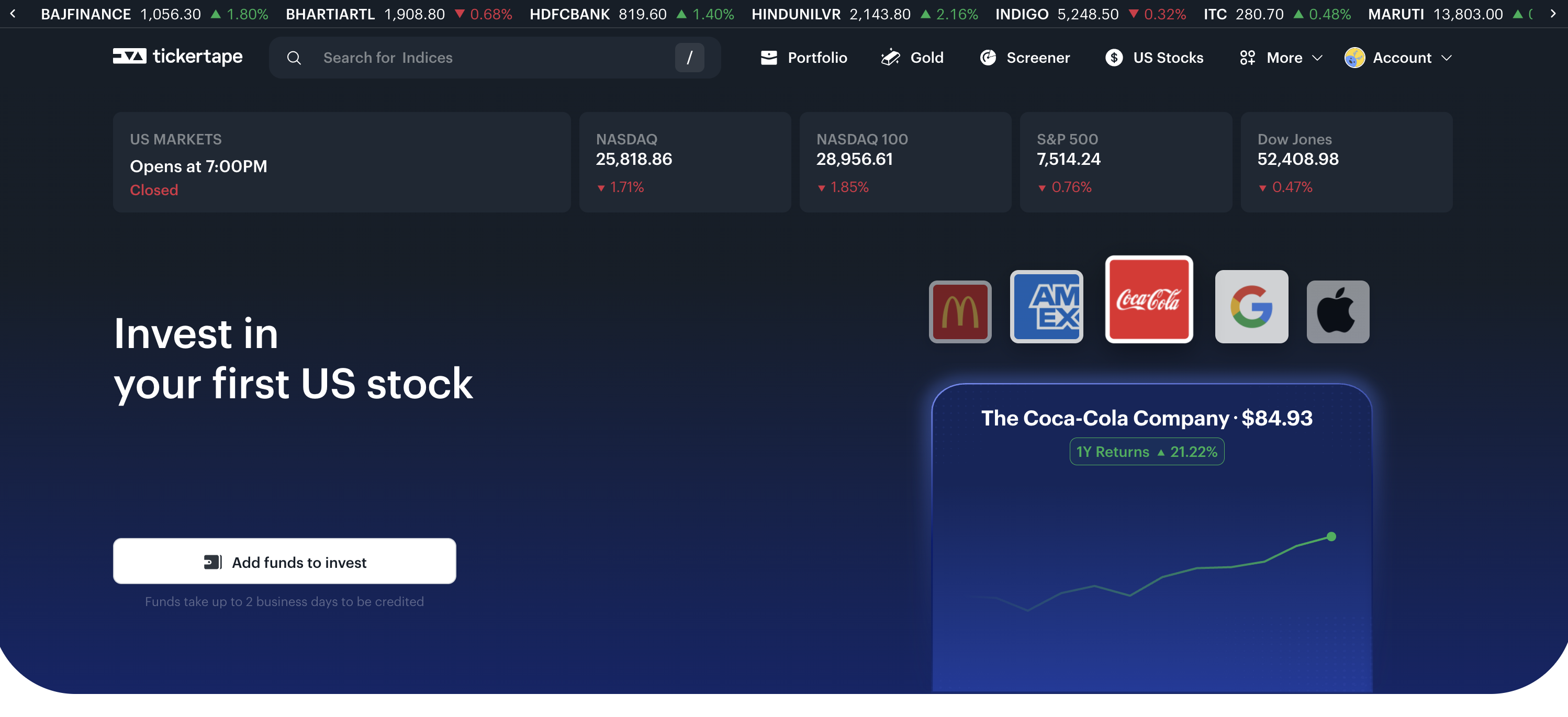
Getting Started with Tickertape: Account Onboarding
Opening a global investing account on Tickertape is a fully digital, regulatory-compliant workflow that can be completed in just 2 to 3 minutes:
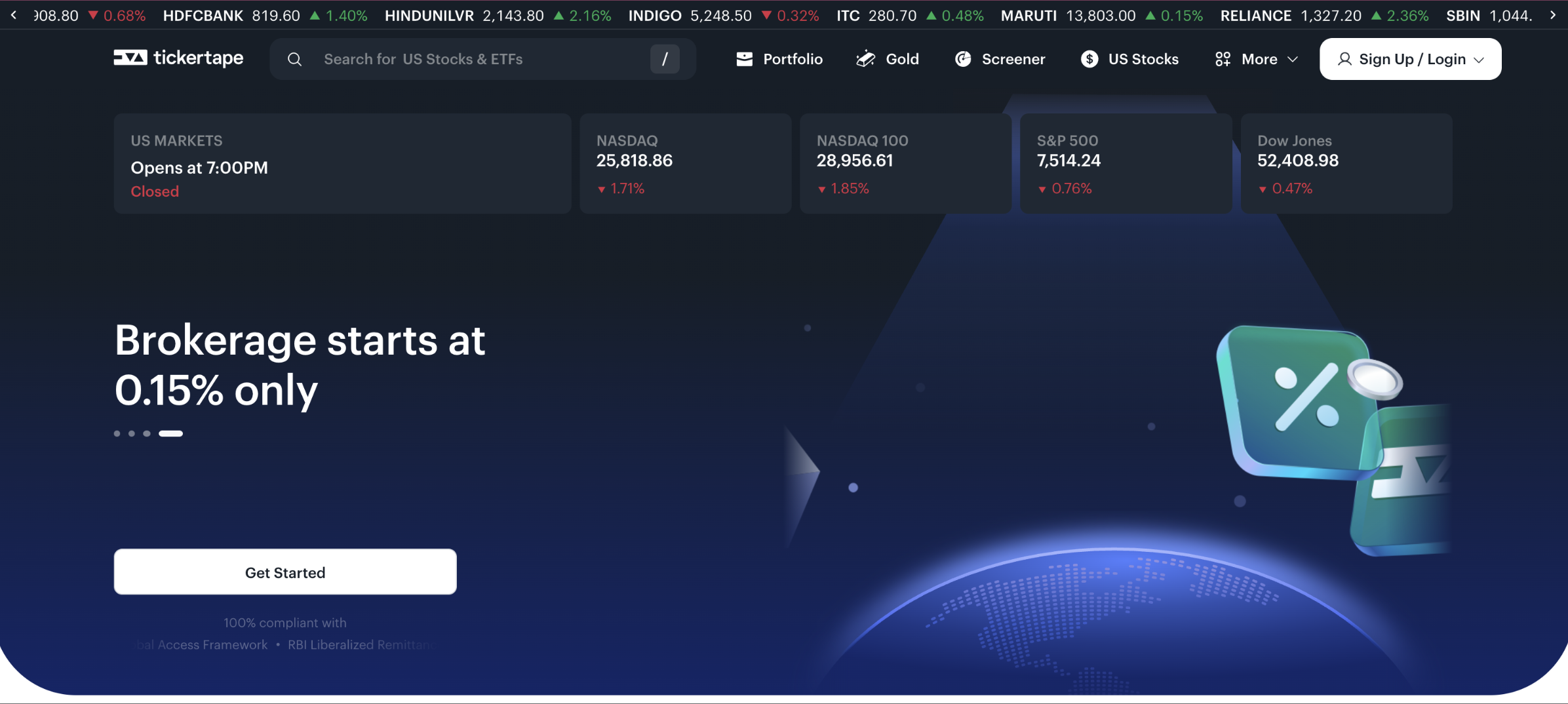
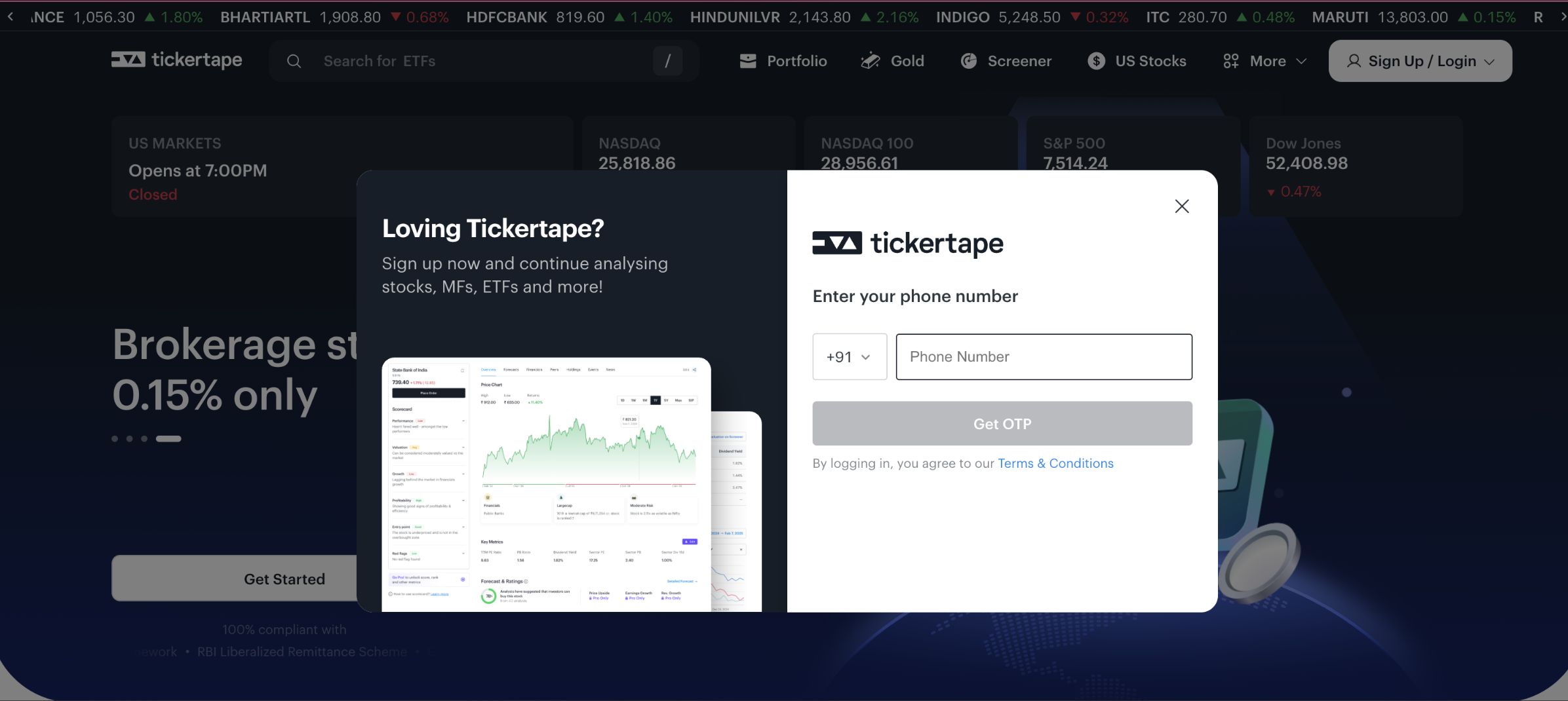
Navigate to tickertape.in/us-stocks and click on the "Get Started" prompt. Enter your phone number followed by the received mobile OTP, then log in using your email address and verify it with the email OTP.
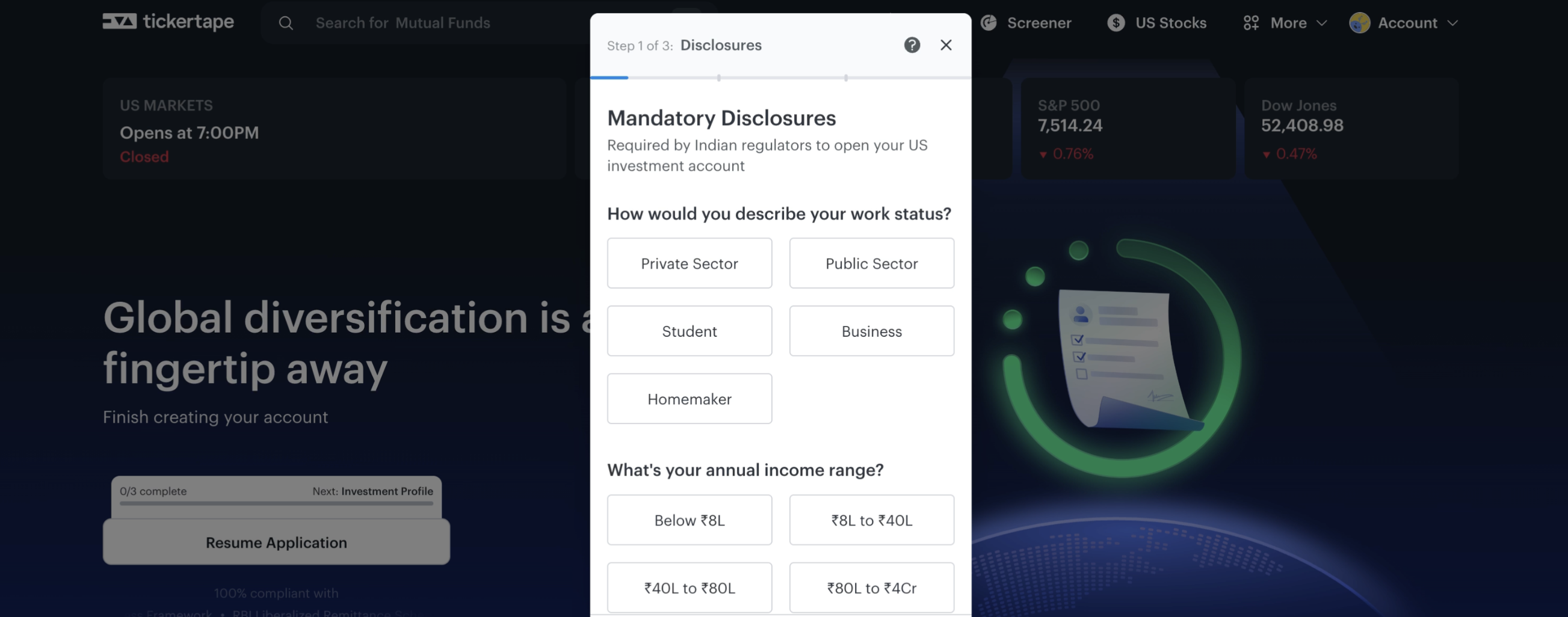
Fill out the brief investor profile form required by Indian financial regulations. This includes choosing your work status (Private Sector, Public Sector, Business, Student, or Homemaker) and specifying your annual income range.
Grant consent to fetch your official identity records. The system opens the MerI Pehchaan Single Sign-On gateway to securely verify your Aadhaar and PAN documents automatically via DigiLocker, completing the validation instantly.
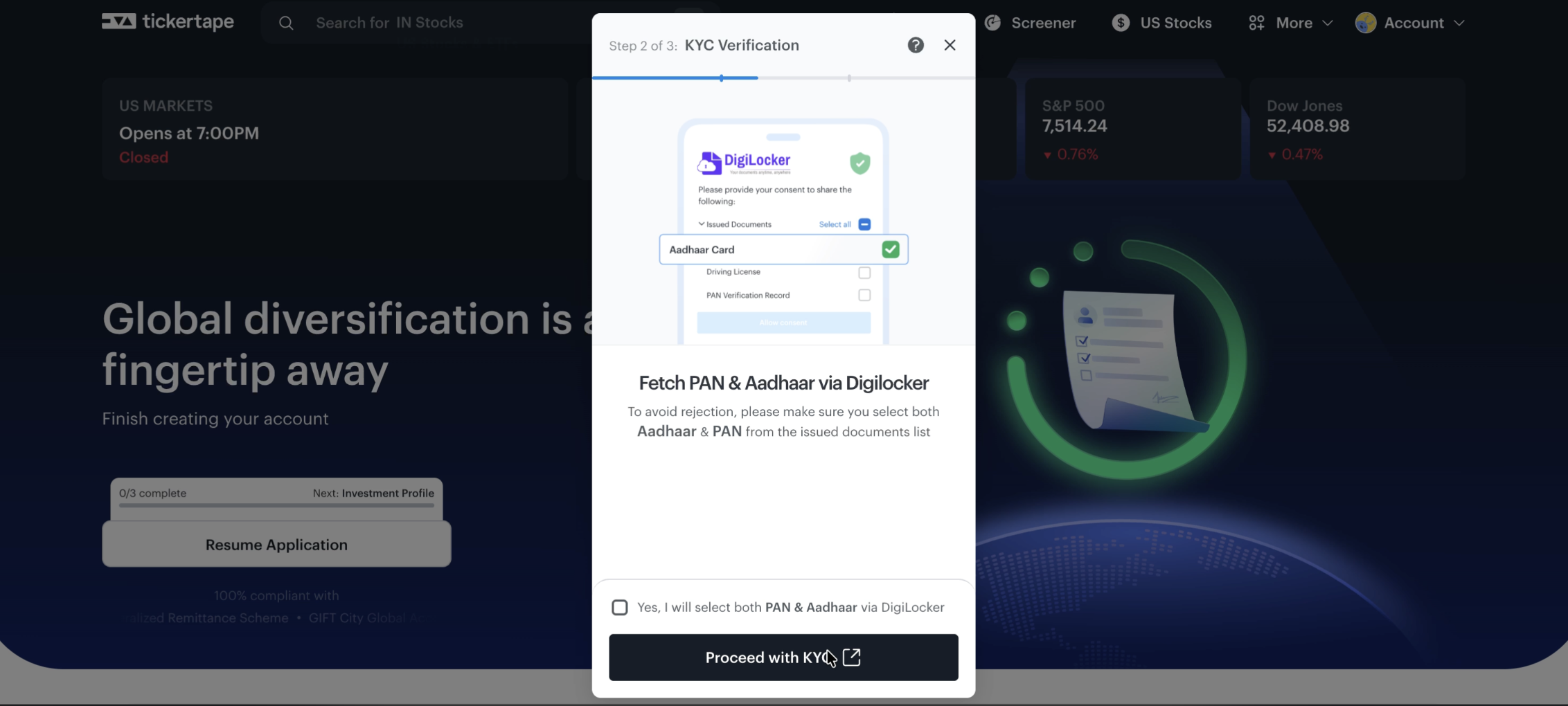
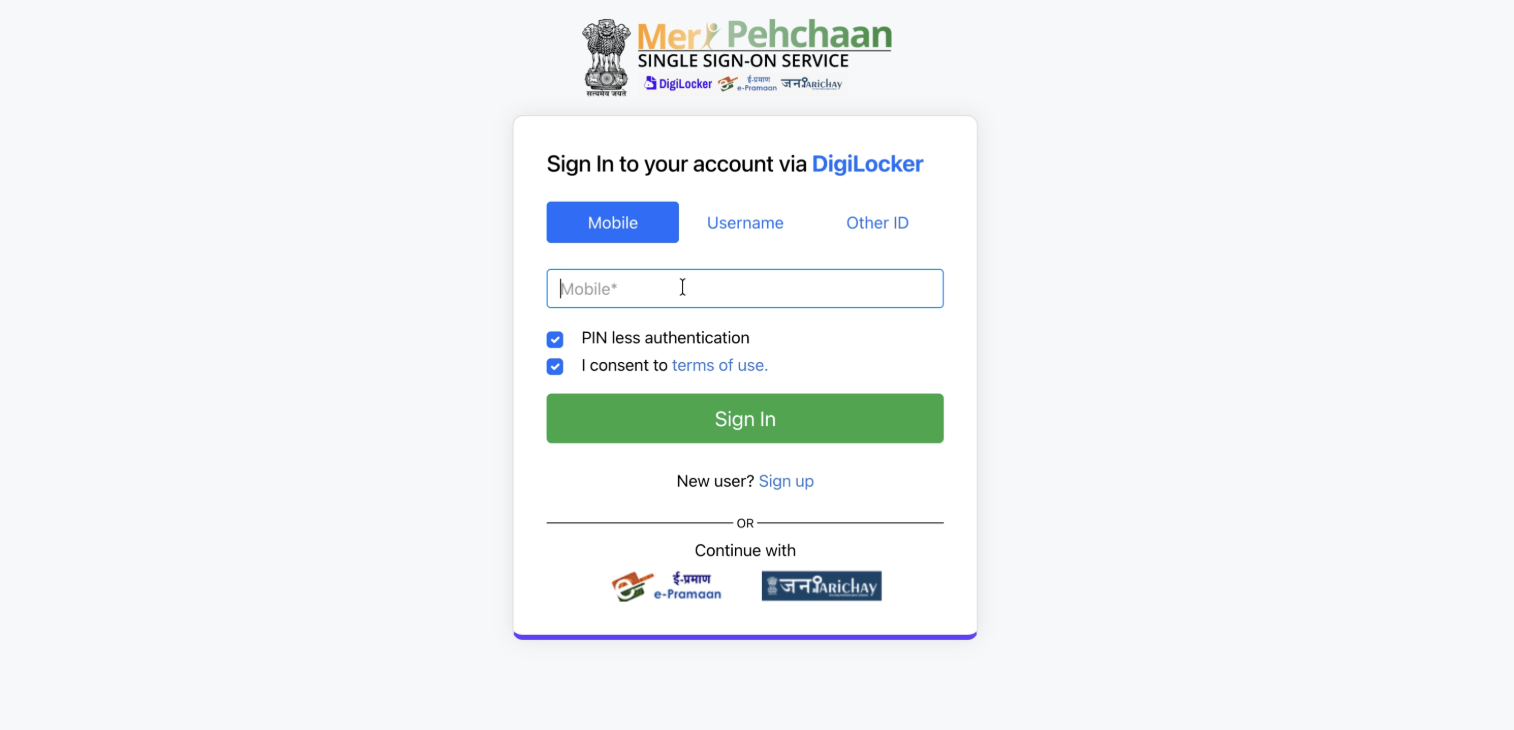
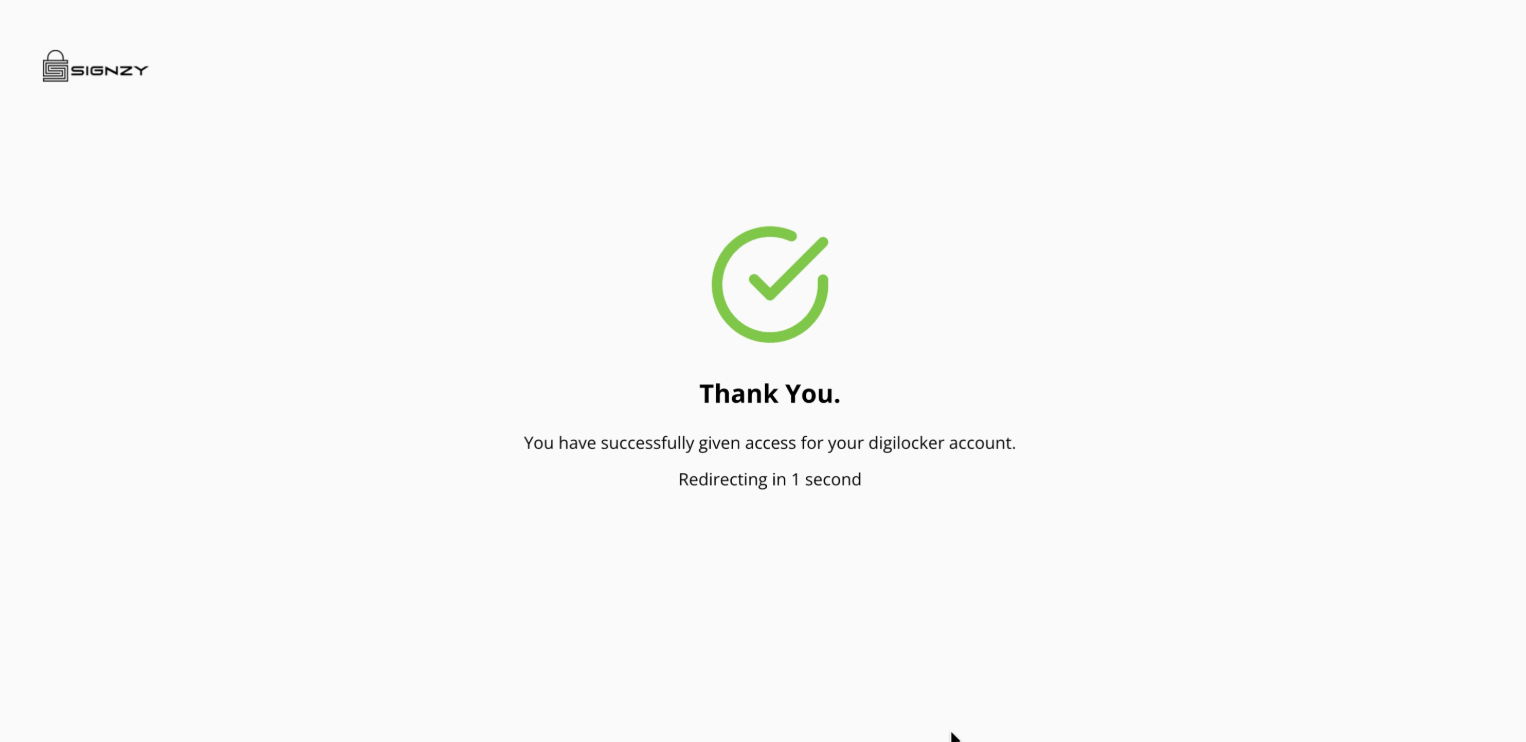
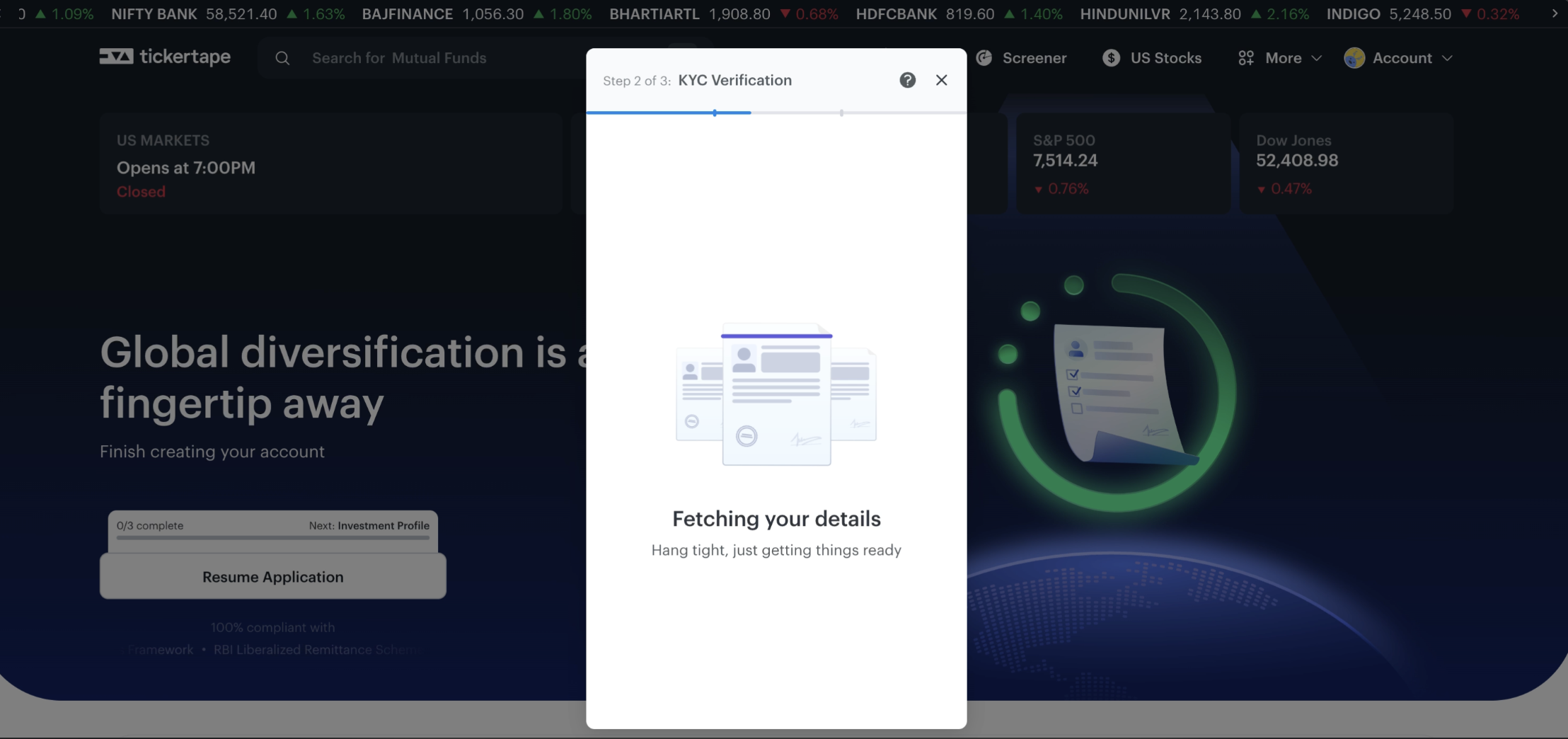
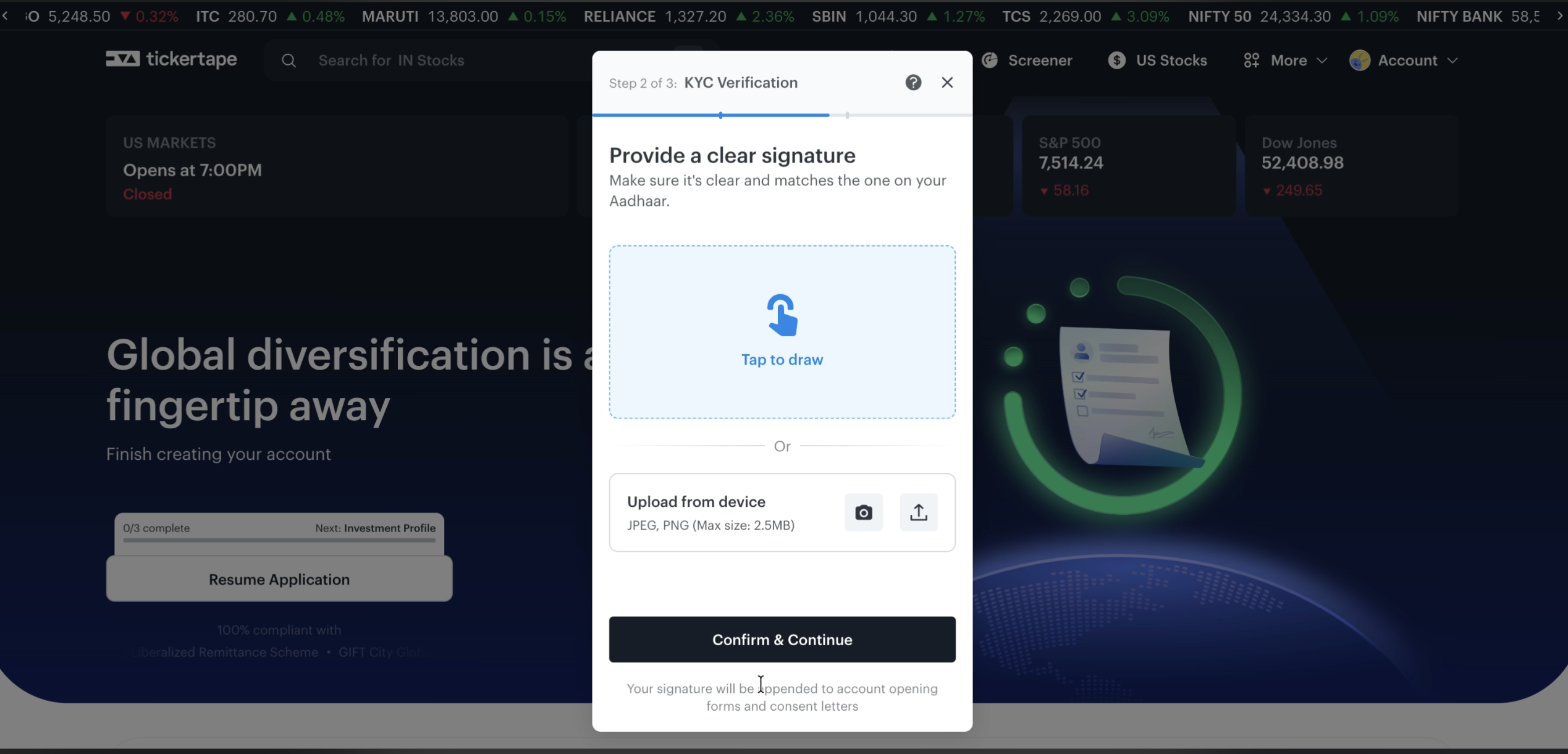
Add a nominee to secure your global investment holding assets. Following nomination setup, provide a clear digital signature by either drawing directly on your touchscreen device panel or uploading an image file from your hard drive.
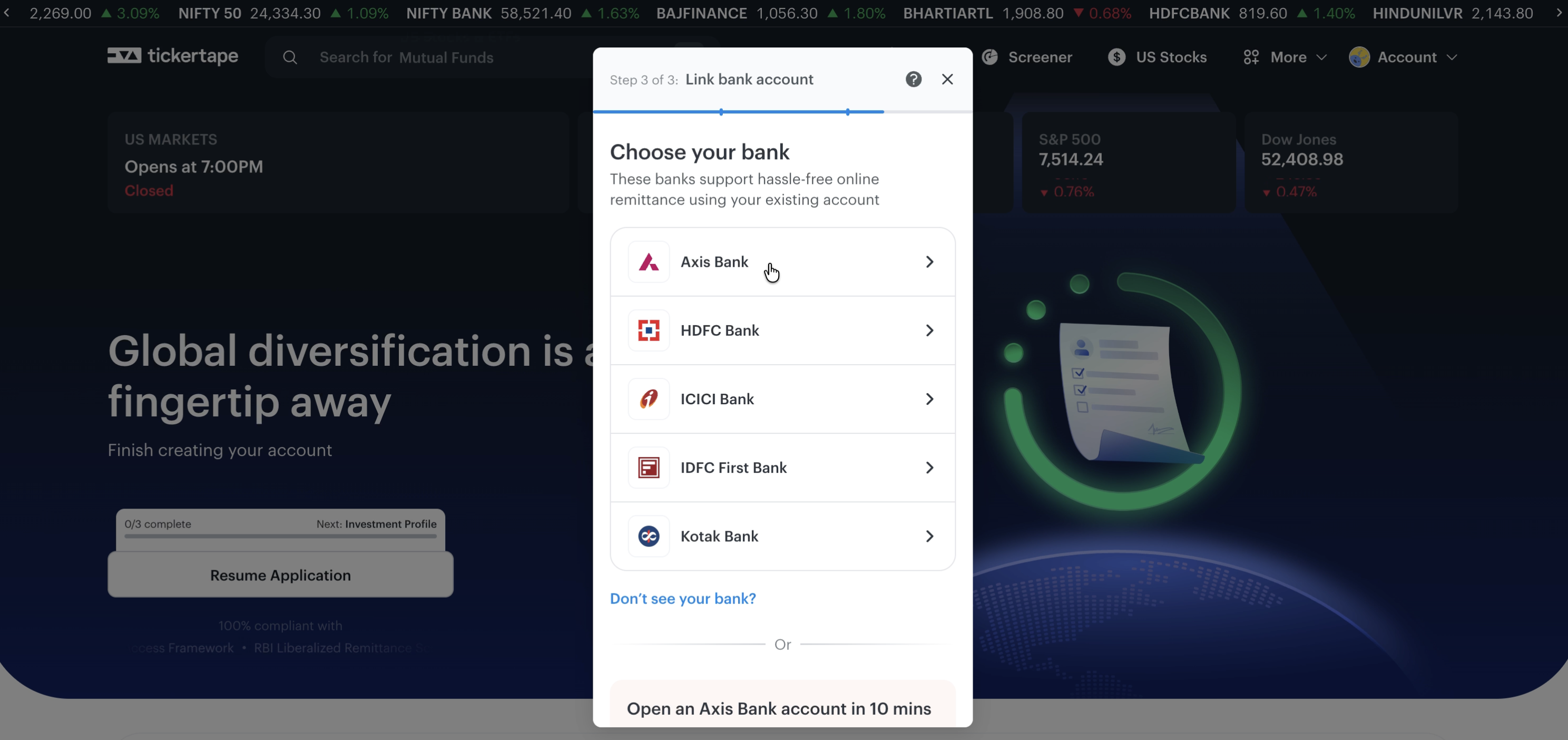
Link your primary Indian bank account details (Account Number, IFSC code) to establish your secure outbound money route. Adding money at this final milestone is completely optional; you can instantly skip the funding dashboard step and complete the registration pipeline.
Tickertape Pro vs Basic: what you actually pay
Tickertape operates on a freemium model for its screener and research tools, and separately charges brokerage on actual US stock trades placed through its Global Investment Account. Current numbers, per Tickertape's official Pro pricing page and US Stocks pricing page:
| Plan | Current pricing | Key Features |
|---|---|---|
| Basic Plan | ||
| Cost | ₹0 | Free access for all registered users |
| Features | Standard screening | Basic stock pages, limited filters, standard data sets |
| Pro Plan | ||
| Monthly | ₹399/month | Charged monthly |
| 3 Months | ₹899 (₹300/month) | Charged every 3 months |
| 12 Months | ₹2,999 (₹250/month) | Charged yearly — Tickertape's "Best Value" tier |
| Features | Premium Access | 60+ custom filters, advanced screens, data export, price/EPS forecasts, analyst ratings, 100+ benchmark metrics, and no ads |
| US Stock Trading Costs | ||
| Brokerage — Basic | 0.20% per transaction (max $25, excl. GST) | Applies to every buy/sell order on US stocks & ETFs |
| Brokerage — Pro | 0.15% per transaction (max $25, excl. GST) | 25% lower brokerage than Basic; kicks in ~2 business days after upgrading |
| Account opening, deposits, withdrawals, AMC, platform fee | ₹0 | No charges on account opening, funding, withdrawals, or account maintenance |
| Regulatory pass-through fees | 0.0166% FINRA (on sells) + 0.005% IFSCA + 0.0035% CAT | Statutory US/IFSCA fees, charged in addition to brokerage; all charges attract GST |
Tickertape's own execution vs other brokers
Better for: Investors who want research, screening, and US stock execution in one app — Tickertape's Global Investment Account lets you fund, buy, and sell US stocks directly, without needing a separate brokerage account.
Less suitable for: Active/intraday traders, since the platform is built around long-term investing rather than rapid order execution, margin, or derivatives.
Pros and Cons
- Excellent visual UI that simplifies complex financial data.
- Comprehensive screener with over 130+ customizable filters.
- Easy-to-read Investment Checklists and Scorecards.
- Built-in US stock execution via the Global Investment Account — no separate broker needed to invest.
- Not geared toward active/intraday trading — no margin or derivatives on the US side.
- Real-time data availability might be limited for free users.
- Full power of the research tools requires a paid Pro subscription, and brokerage still applies on trades even on Pro.
Frequently Asked Questions
Does Tickertape allow trading US stocks directly?
Yes. Through its Global Investment Account, Tickertape lets you fund your account, and buy and sell US stocks and ETFs, directly in the app. Trades route through GIFT City and are executed via its broker-dealer partner ViewTrade, so brokerage (0.20% Basic / 0.15% Pro, capped at $25 per trade) applies on every order.
What is the difference between Tickertape Basic and Pro?
The Basic plan offers standard stock pages and basic screening. The Pro plan (from ₹399/month, or ₹2,999/year on the annual plan) adds advanced custom filters, data export, premium stock metrics, investment checklists, and 25% lower brokerage on US stock trades (0.15% vs 0.20%).